Turn your Android device into a beautiful, silent photo frame with built-in radio streaming, smart overlays, and voice control. No interruptions. Ever.
Get it on Google PlaySee it in action
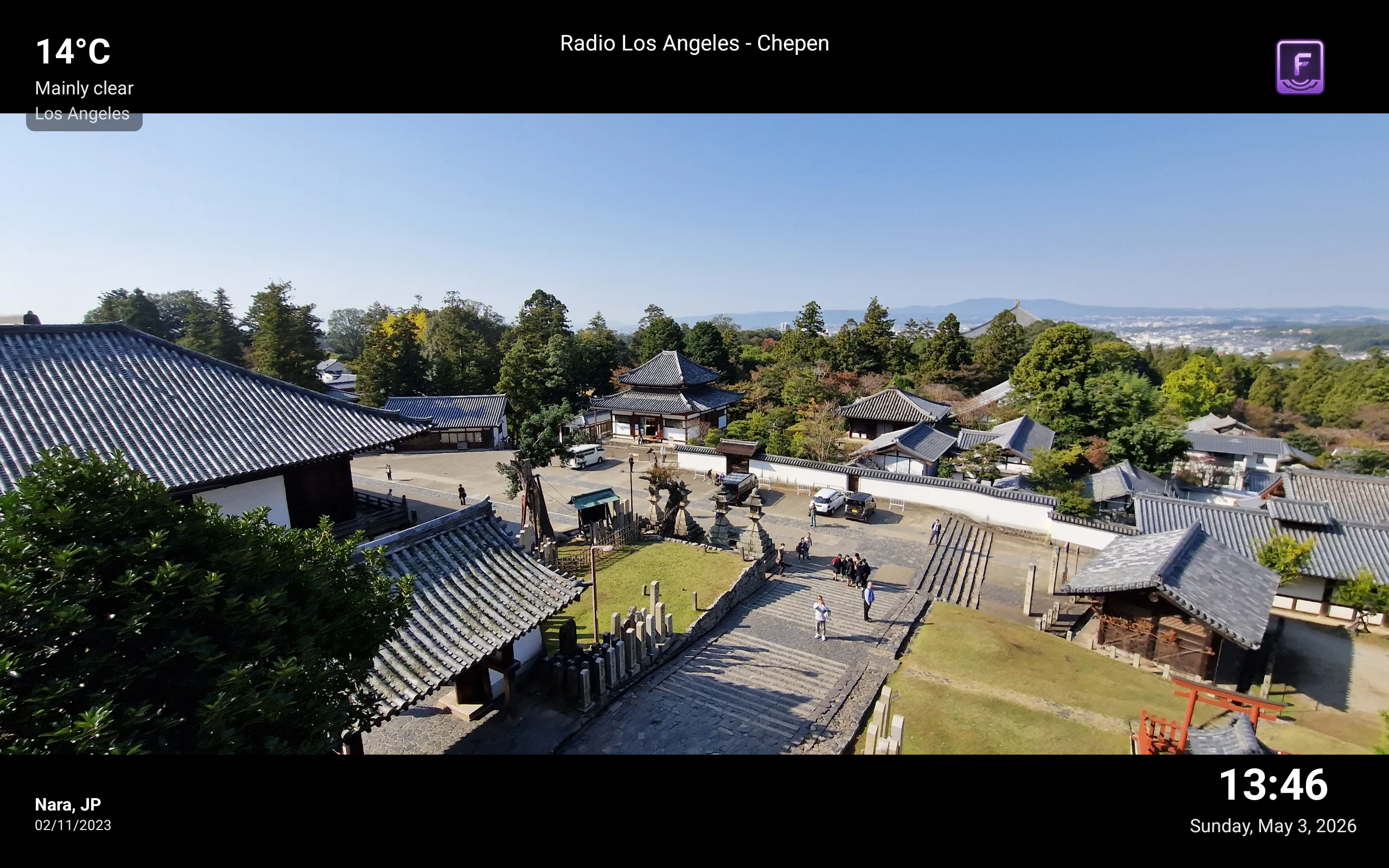
Nara, Japan — weather overlay, clock, and now-playing radio info all in one glance
Full control
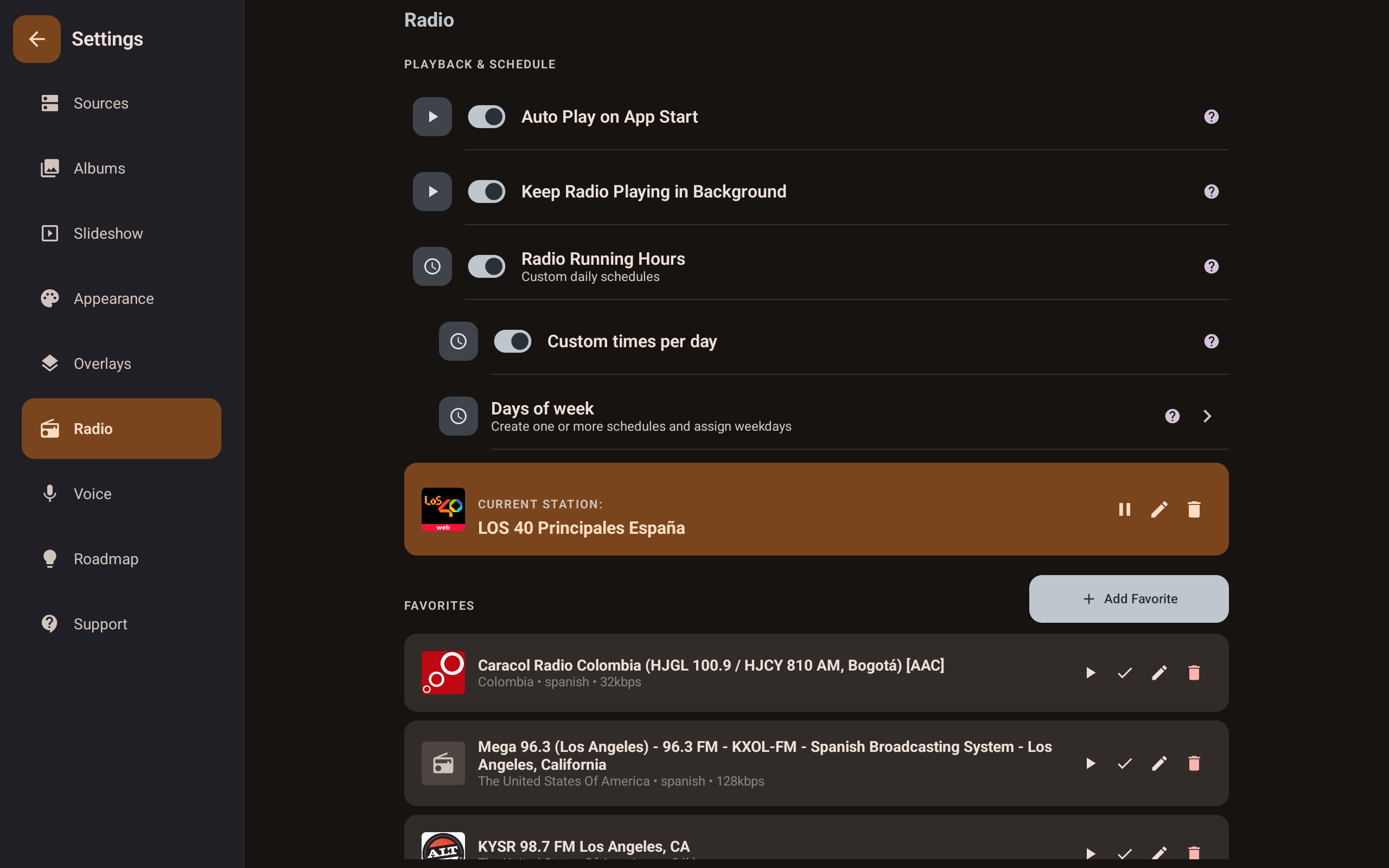
Save favourite stations, schedule when radio plays each day, and keep music going in the background — all in one place.
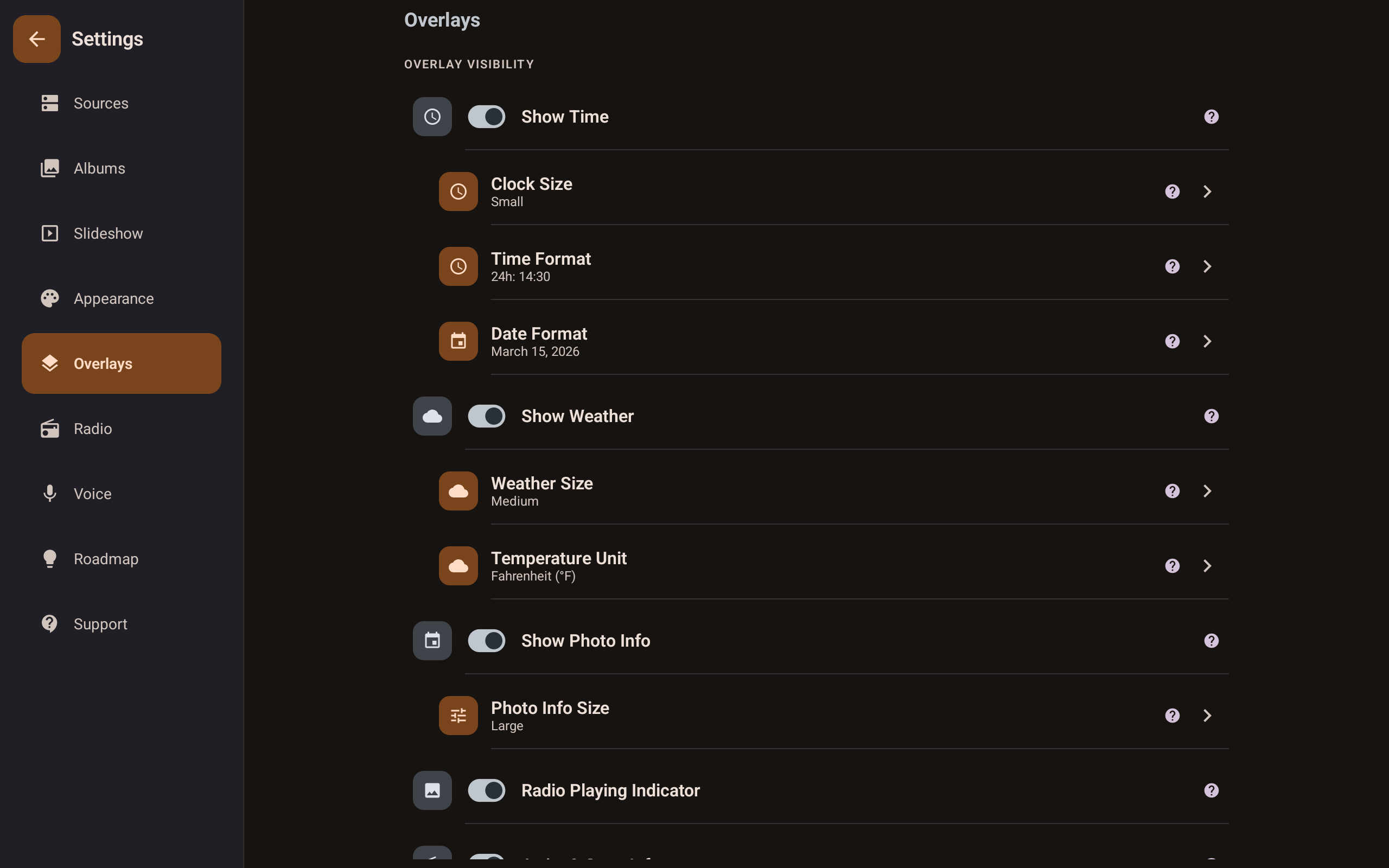
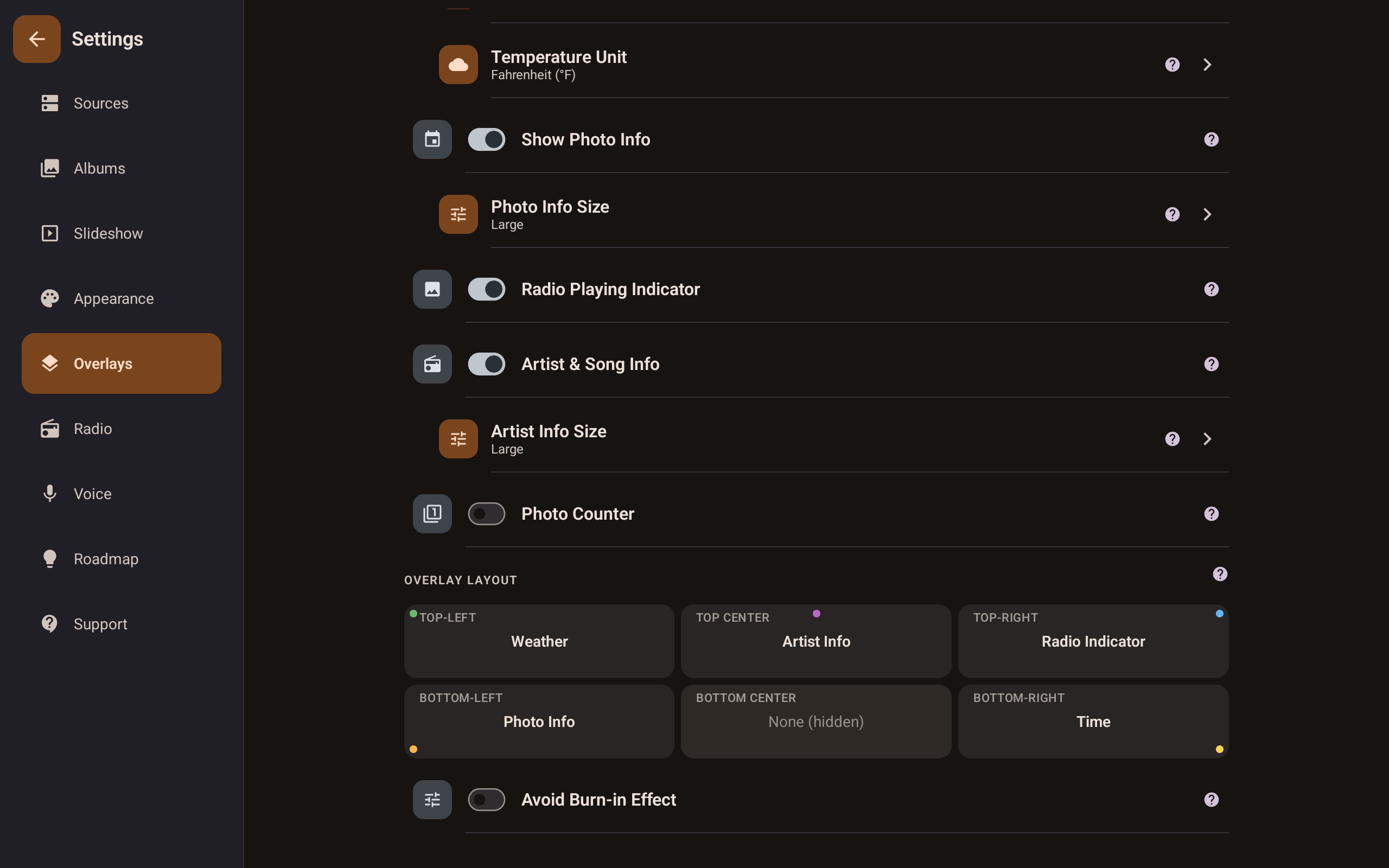
Toggle weather, clock, photo metadata, and now-playing info individually. Choose exact sizes for each element.
Drag overlays to any of six screen zones — top-left, top-center, top-right, and three bottom zones. Your frame, your layout.
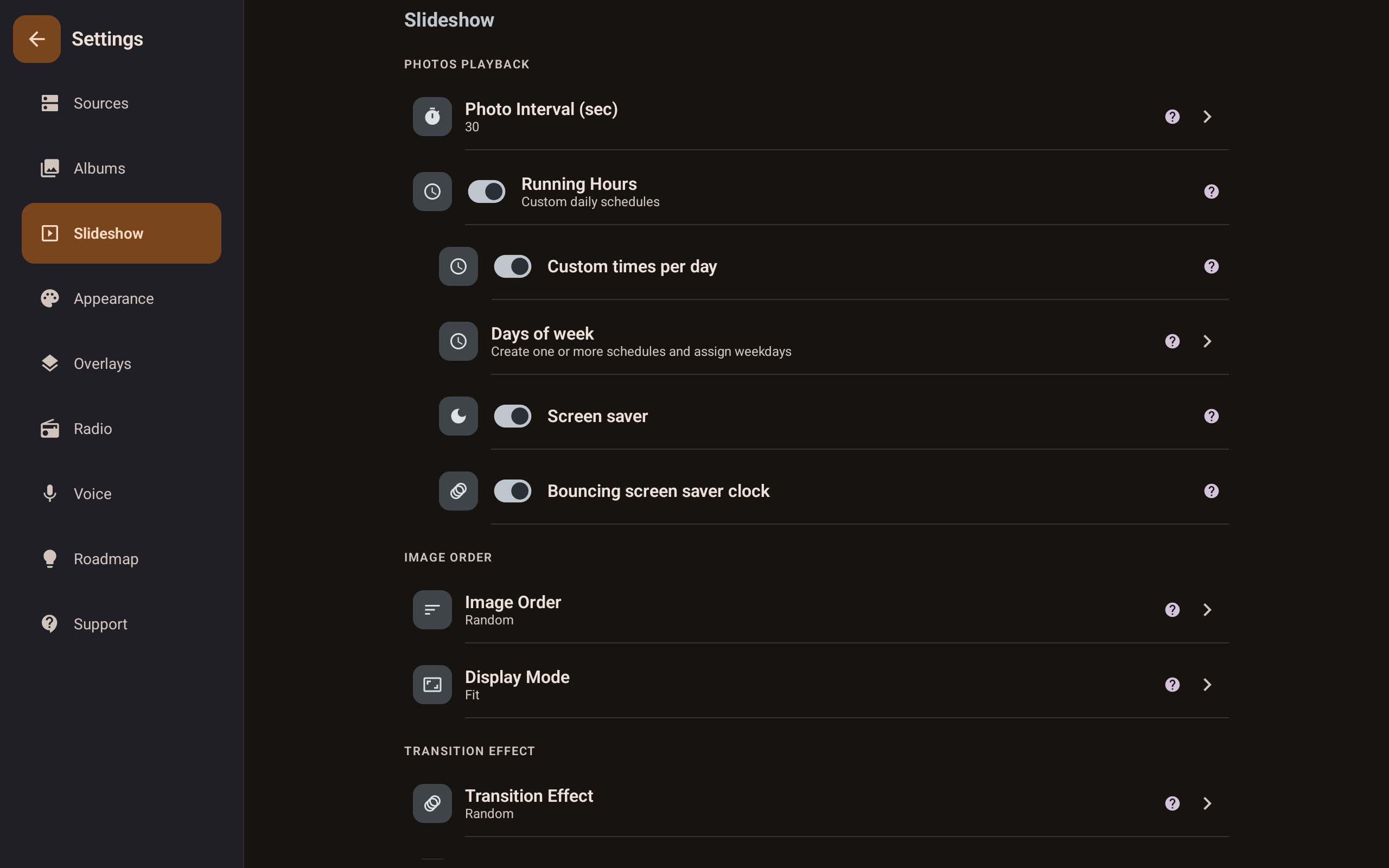
Set photo intervals, display mode, transition effects, and running hours with per-day schedules. Set it once and forget it.
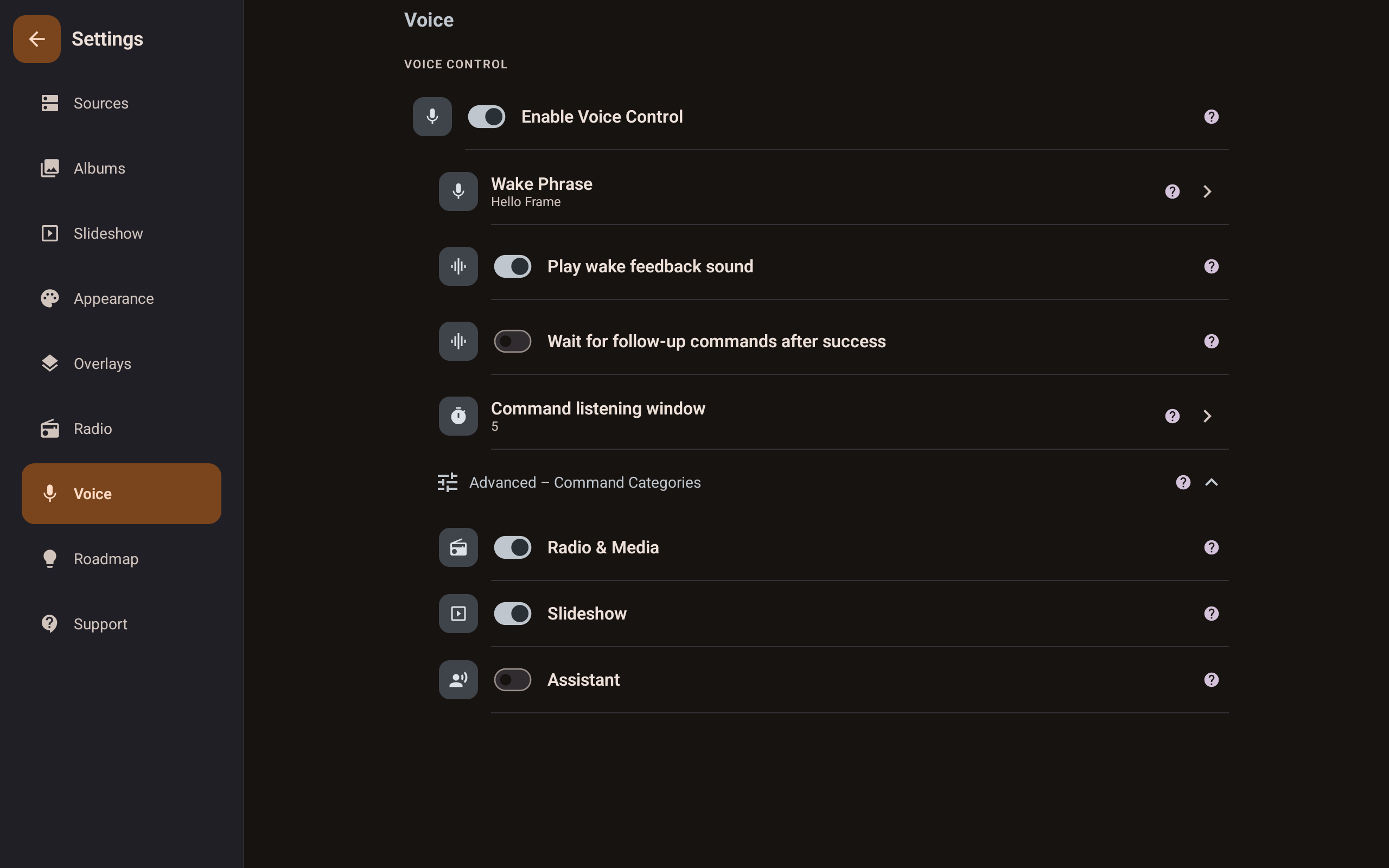
Set a custom wake phrase, tune the listening window, and choose which command categories are active — all processed on-device.
What it does
Local folders, SMB/NAS shares, and supported cloud providers — one uninterrupted slideshow.
Stream radio stations while your photos play. Music and memories, together.
Live local weather at a glance, right on your frame. No phone needed.
Wake-phrase detection processed on-device. No mic data ever leaves your home.
Date and location pulled from EXIF — privately, locally, beautifully.
The frame turns on and off on your schedule. Set it once, forget it.
Available now: Google Photos and Microsoft OneDrive. Dropbox support is in the works. Free includes 1 cloud connection with base limits; Pro expands cloud limits.
Hide photos per album or globally without deleting. Unhide anytime.
Why Fravora
Watch one voluntarily for Pro time. Your slideshow is never interrupted.
Local and SMB sources need no internet. Your frame keeps running.
Nothing uploaded. Credentials encrypted locally. Nothing sold.
Runs 24/7 unattended. Set it up once — it just works.
Mix local folders and SMB/NAS in a single setup.
Free tier is genuinely usable. Pro is there when you want it.
Plans
| Feature | Free | Pro |
|---|---|---|
| Photo Sources | ||
| Local & SMB / NAS folders | ✓ | ✓ |
| Cloud sources | 1 cloud connection + base limits | Expanded cloud limits |
| Subfolders & expanded limits | — | ✓ |
| Slideshow | ||
| Uninterrupted slideshow + scheduling | ✓ | ✓ |
| Smart Shuffle, transitions & speed control | — | ✓ |
| Radio | ||
| Radio streaming | ✓ | ✓ |
| Favorites, background playback & scheduling | — | ✓ |
| Lockscreen & notification controls | — | ✓ |
| Overlays | ||
| Clock overlay | ✓ | ✓ |
| Weather, metadata & now playing | — | ✓ |
| Positioning, themes & anti-burn-in | — | ✓ |
| Controls & Pro | ||
| Voice control | — | ✓ |
| Unlock Pro via optional ad | ✓ | — |
| One-time Pro purchase | — | ✓ |
From the developer
I built Fravora because every other frame app I tried interrupted my slideshow with paywalls, forced ads, or required a cloud subscription just to show photos from my own NAS. I wanted something that felt like an appliance — reliable, respectful, and beautiful. So I made it.
aniujual Solo developer, Fravora
FAQ
Free to download. No account required. Works in minutes.